On-Premise Deployment
Last reviewed:
Run the HelmetSight monitoring platform inside your own infrastructure.
For organizations with strict security policies, private network requirements, or data control needs, HelmetSight can be deployed on customer-owned servers or virtual machines. This allows teams to manage devices, monitor GPS location, handle safety alerts, and control platform access inside a customer-managed environment.
What is HelmetSight on-premise deployment?
HelmetSight on-premise deployment means the monitoring platform is installed inside the customer’s own server, virtual machine, private network, or local command center environment.
This model is suitable for organizations that need stronger control over platform access, storage, video routing, user permissions, network policy, and integration with internal systems. It is often considered for utilities, industrial sites, government projects, mining, emergency command centers, and other security-sensitive field operations.
Private infrastructure
Projects that require local hosting, private network access, or customer-managed platform control.
Data and access control
Customer teams can define access rules, server environment, storage policy, and internal operation workflow.
IT readiness
Server resources, network route, video workflow, security policy, and IT ownership should be confirmed first.
When On-Premise Deployment is Recommended
Organizations with strict data security requirements
Government, utilities, mining, or industrial infrastructure projects
Environments requiring private networks or VPN access
Projects with internal IT teams managing servers
Long-term deployments with stable infrastructure
The exact architecture depends on project scale and security requirements.
Typical On-Premise Architecture
Smart helmet devices collect safety and GPS location data in the field. Data is transmitted through the customer network according to security policy. The monitoring platform runs on customer servers and supervisors access dashboards internally.
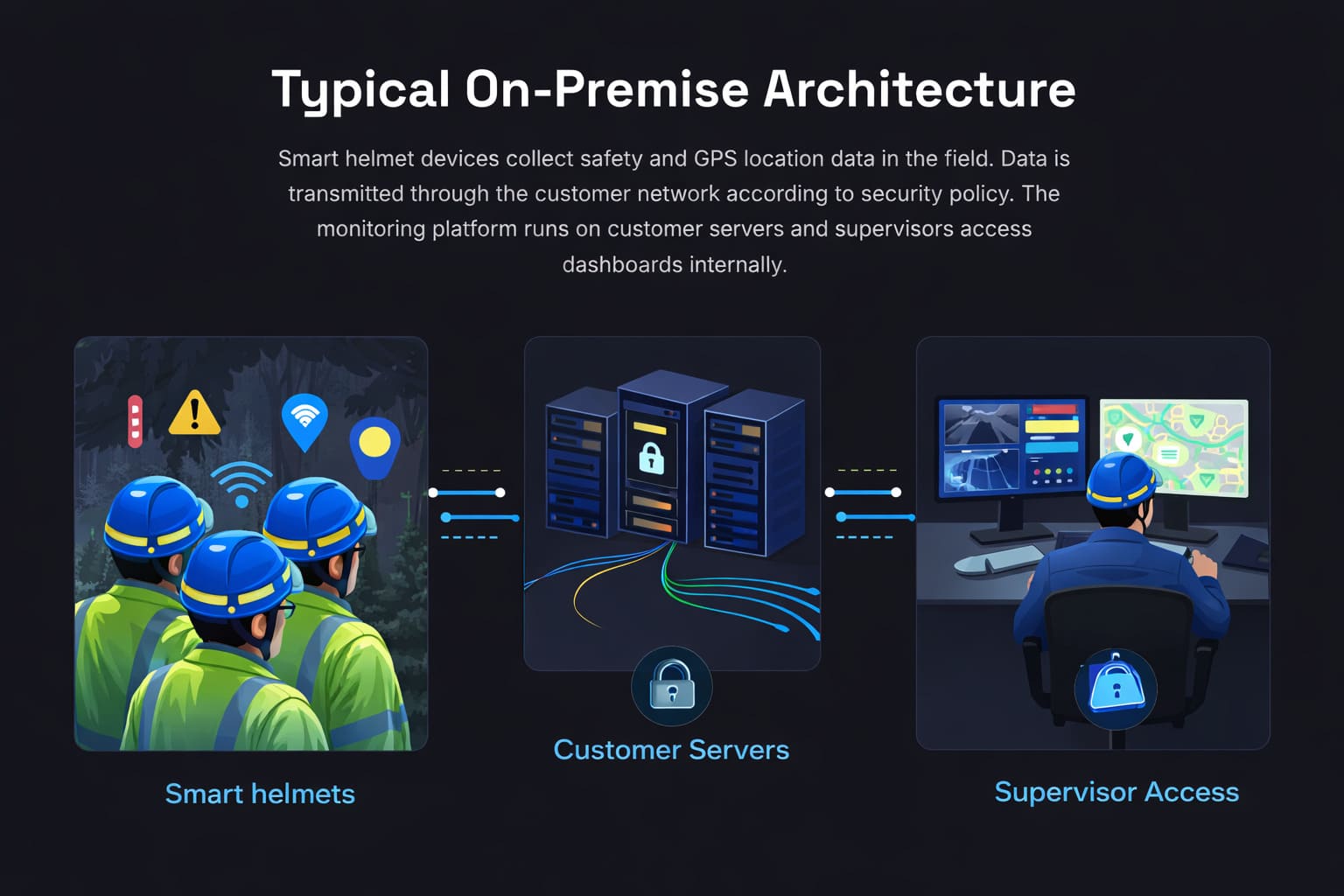
For RTSP video routing, local AI boxes, private command centers, GB/T 28181, or third-party system access, the final architecture should be confirmed based on device model, network path, server environment, and customer security policy.
Platform Snapshot
HelmetSight devices work together with a monitoring platform that provides operational visibility and safety management tools.
Live GPS Tracking
View real-time location of devices on a map.
Alert Center
Receive SOS and safety alarms from devices.
Device Status Dashboard
Monitor battery, connectivity, and device status.
Track Playback
Review historical routes and event timelines.
Admin & Role Management
Manage users, roles, and device permissions.
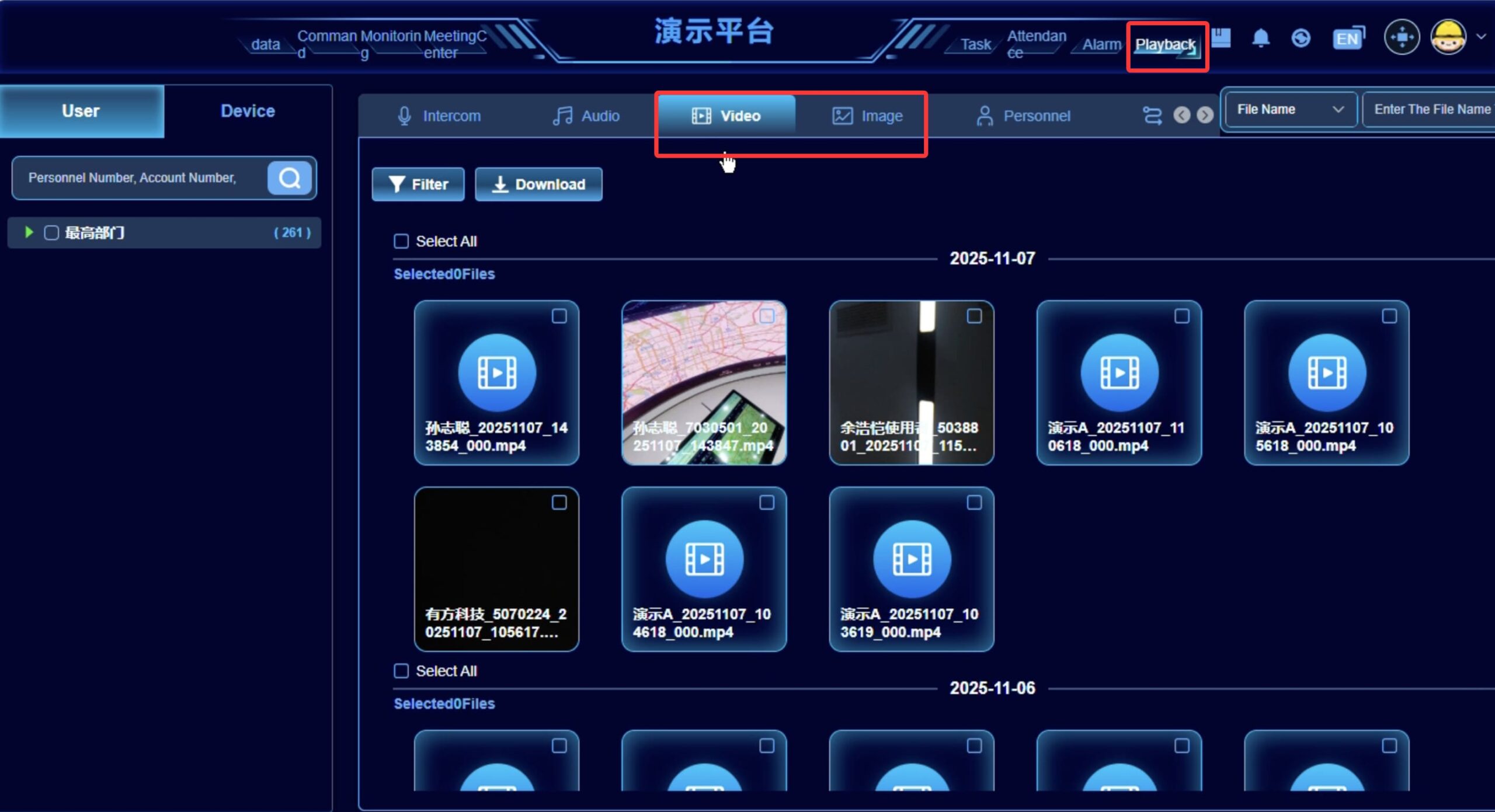
Example: dashboard with live map and alerts
Typical Deployment Process
Requirements Confirmation
Devices, sites, security policy
Infrastructure Preparation
Servers and network access
Platform Installation and Configuration
System setup and customization
Device Onboarding and Testing
Connect devices and verify functionality
Acceptance and Go-Live
Final testing and production launch
Deployment timeline depends on IT readiness and project scale.
What Should Be Confirmed Before On-Premise Deployment?
On-premise projects require both platform planning and customer-side IT preparation before installation.
Customer-side preparation
Server or virtual machine environment for platform installation.
Network access rules for smart helmet devices, dashboards, and internal users.
IT administrator support for deployment, permissions, maintenance, and troubleshooting.
Storage, backup, retention, and security policy for operational records.
Project information needed
Number of devices, users, sites, and expected concurrent monitoring workload.
Required modules such as GPS tracking, alerts, playback, media records, reports, and user roles.
Video access requirements such as live video, playback, RTSP, local AI, or command center display.
Integration targets, API needs, protocol requirements, and internal system architecture.
Governed system-path summary
Compare reviewed system paths
Compare the primary interface, customer ownership and confirmation boundary for each available path before selecting a pilot architecture.
Complete Monitoring Platform
Configuration-dependentThe Complete Monitoring Platform provides ready-to-use device, location, alarm, media and operational workflows for organizations that do not want to build the main application layer themselves. The production hosting model, infrastructure, operating responsibility and supported configuration are confirmed for each project.
- Best fit
- Organizations that want a complete operational workflow and prefer to avoid developing the primary monitoring application and device-management services.
- Primary interface
- HelmetSight monitoring and administration interface
Enterprise Integration
Configuration-dependentEnterprise Integration connects selected device records, location, alarms, media and qualified video functions to a customer system through the complete operational service layer. The customer keeps its own business interface, while standard system delivery uses authenticated API polling and performance-sensitive functions are confirmed in a POC.
- Best fit
- Organizations with an existing safety, command, VMS or enterprise system that want selected HelmetSight data and media without rebuilding the complete device-management service layer.
- Primary interface
- Customer business interface with supplier administration where required
On-Premise Deployment Questions
Do you support on-premise deployment? +
Do we need our own IT team? +
Can on-premise deployment support video, RTSP, or local AI workflows? +
Can the platform integrate with our existing systems? +
Can the platform be customized? +
How long does on-premise deployment usually take? +
Plan Your Deployment
Our engineers can help evaluate your infrastructure and recommend the best deployment architecture.
Compare deployment options