Enterprise Smart Helmet Integration
Last reviewed:
Connect G808 and G901 deployments to existing safety, command, video, or enterprise systems through the complete operational service layer, documented V3 interfaces, project-confirmed RTSP/media paths, and approved SDK components. Confirmed interfaces are separated from POC-dependent performance and customization requirements.
How enterprise integration works
Enterprise integration keeps the standard device application and operational services while approved device data, events and media are connected to a customer system. Teams that prefer to own the complete Android application can instead evaluate a customer-owned APK on G808 or G901.
Operational Data Integration
Access documented device records, online state, user and organization relationships, GCJ-02 location history, paged alarm records, media files and selected workflow objects through the operational service layer after authentication. This lets customer systems use relevant information without rebuilding every device-management function.
Media & Video Integration
V3 documents endpoints to request and close an RTSP live session and retrieve the RTSP server address. Authentication, codec, first-frame time, stability, concurrency, overseas networks and long-running VMS access still require a project POC. GB/T 28181 is considered only when the customer already operates a compatible platform.
Alternative: Customer-Owned APK
Customer APK availability applies to both Android terminals. The customer owns its application, backend, protocol, alarm logic, media workflow, security, storage, updates, and maintenance; model-specific interfaces require POC confirmation.
Integration Architecture
HelmetSight devices collect operational data in the field. Data is transmitted through wireless networks and processed by the monitoring platform. External systems can retrieve device data and events through integration interfaces.
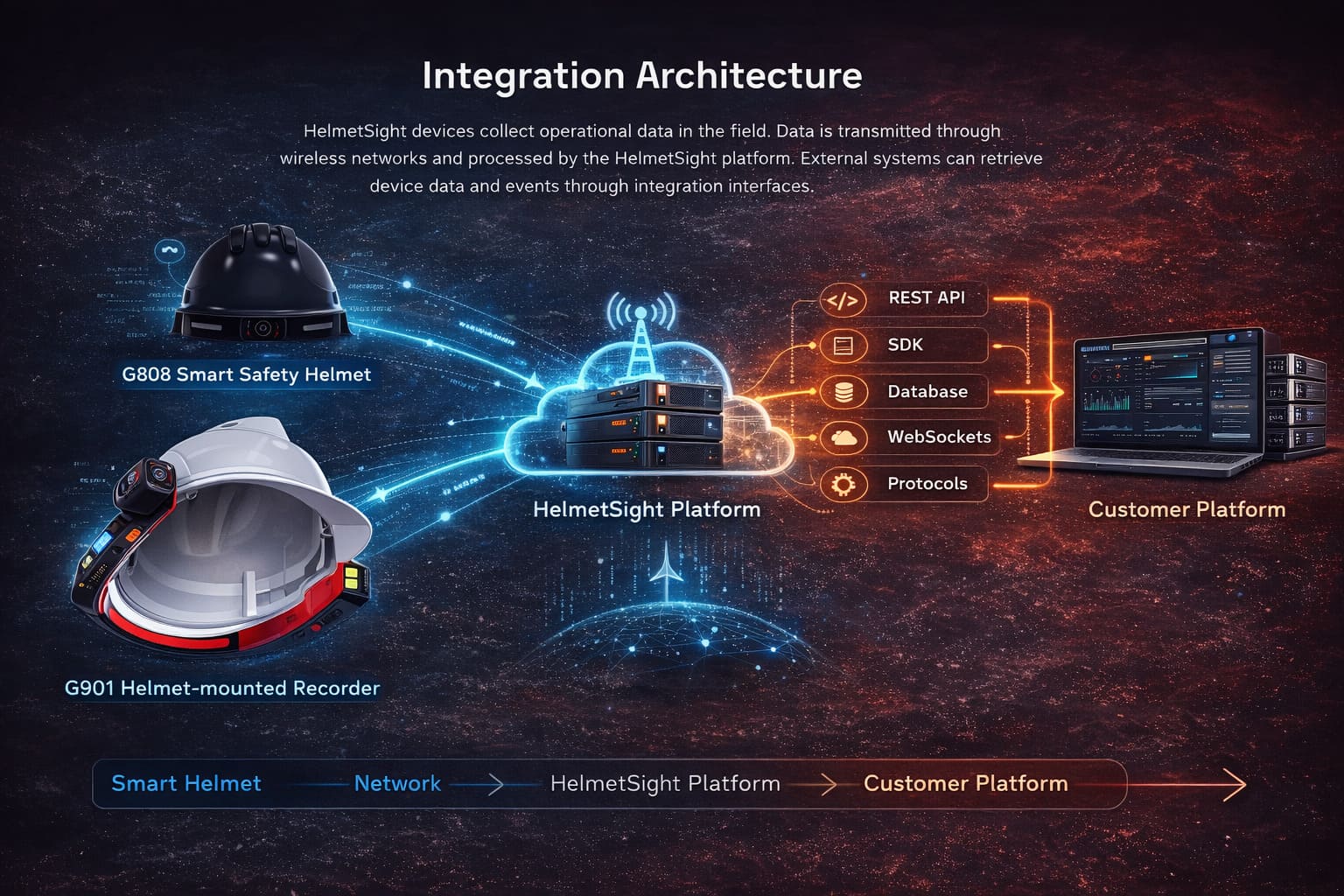
Smart Helmet → Network → Operational Service Layer → Customer Platform
Choose the architecture before choosing an interface. Enterprise Integration retains the complete operational service layer and exposes selected documented objects to the customer Connector. Standard customer-system delivery is authenticated API polling. Active webhook delivery is project-specific engineering, while RTSP performance, broader remote commands, direct database access and device-level permissions require agreed POC tests.
Platform Modules Available for Integration
The HelmetSight platform includes several operational modules that manage device data and safety workflows.
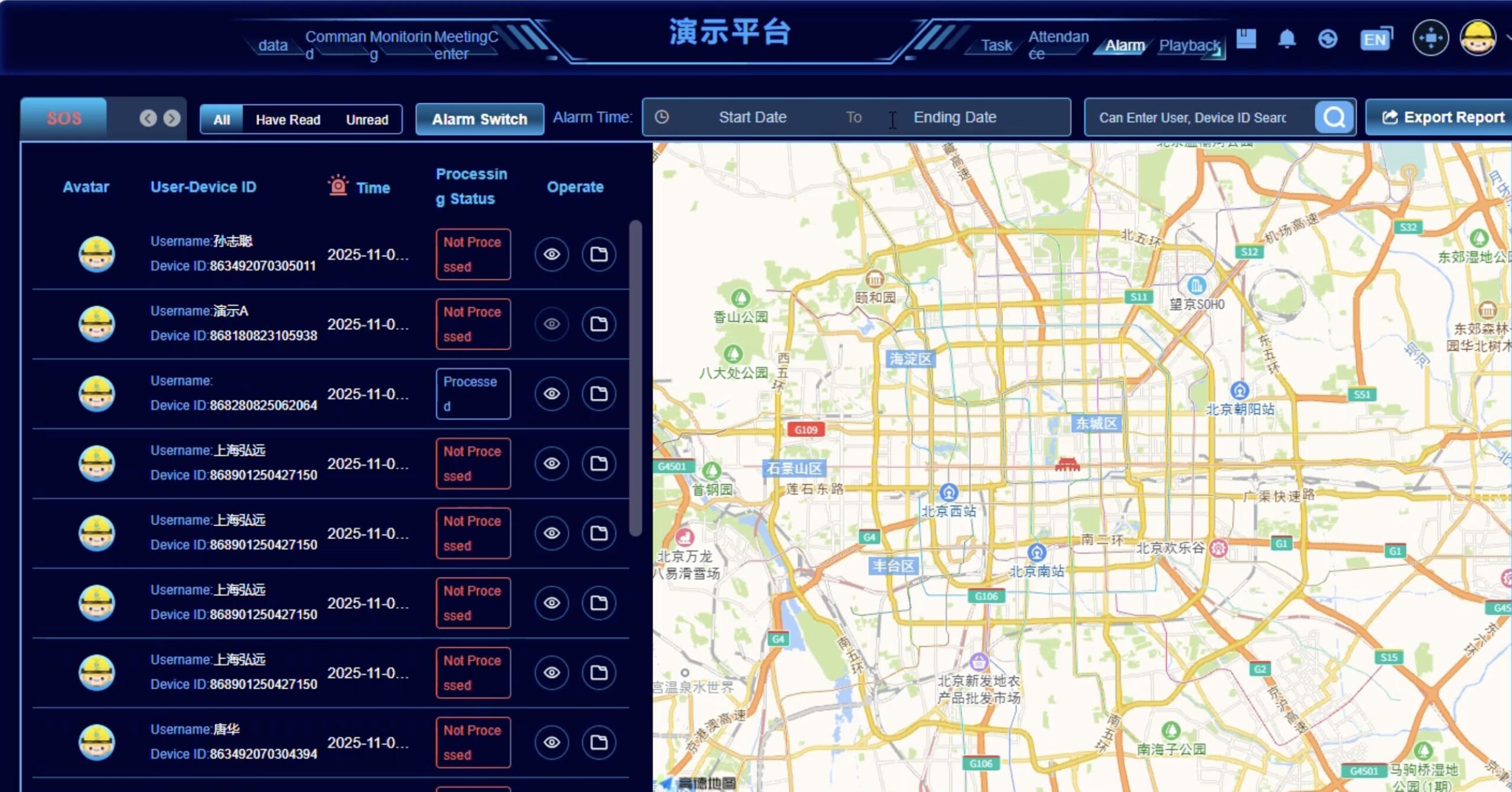
Data Home Page
- Map-based overview of device locations (GPS)
- Real-time device status and operational data
- Quick view of safety alerts and system activity
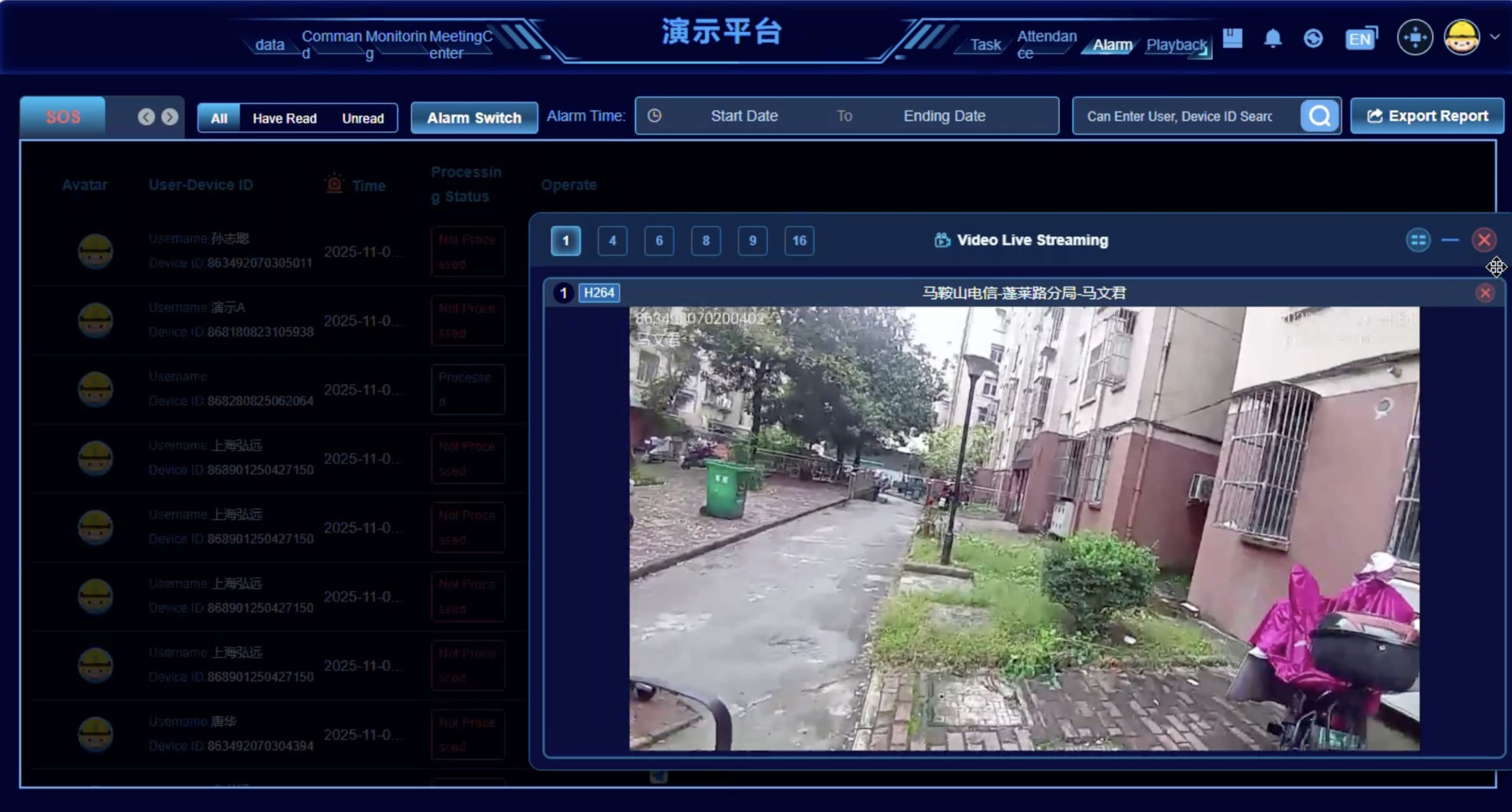
Command Center
- Handle safety alerts and emergency notifications
- Coordinate teams through platform communication tools
- Support real-time monitoring of device activity
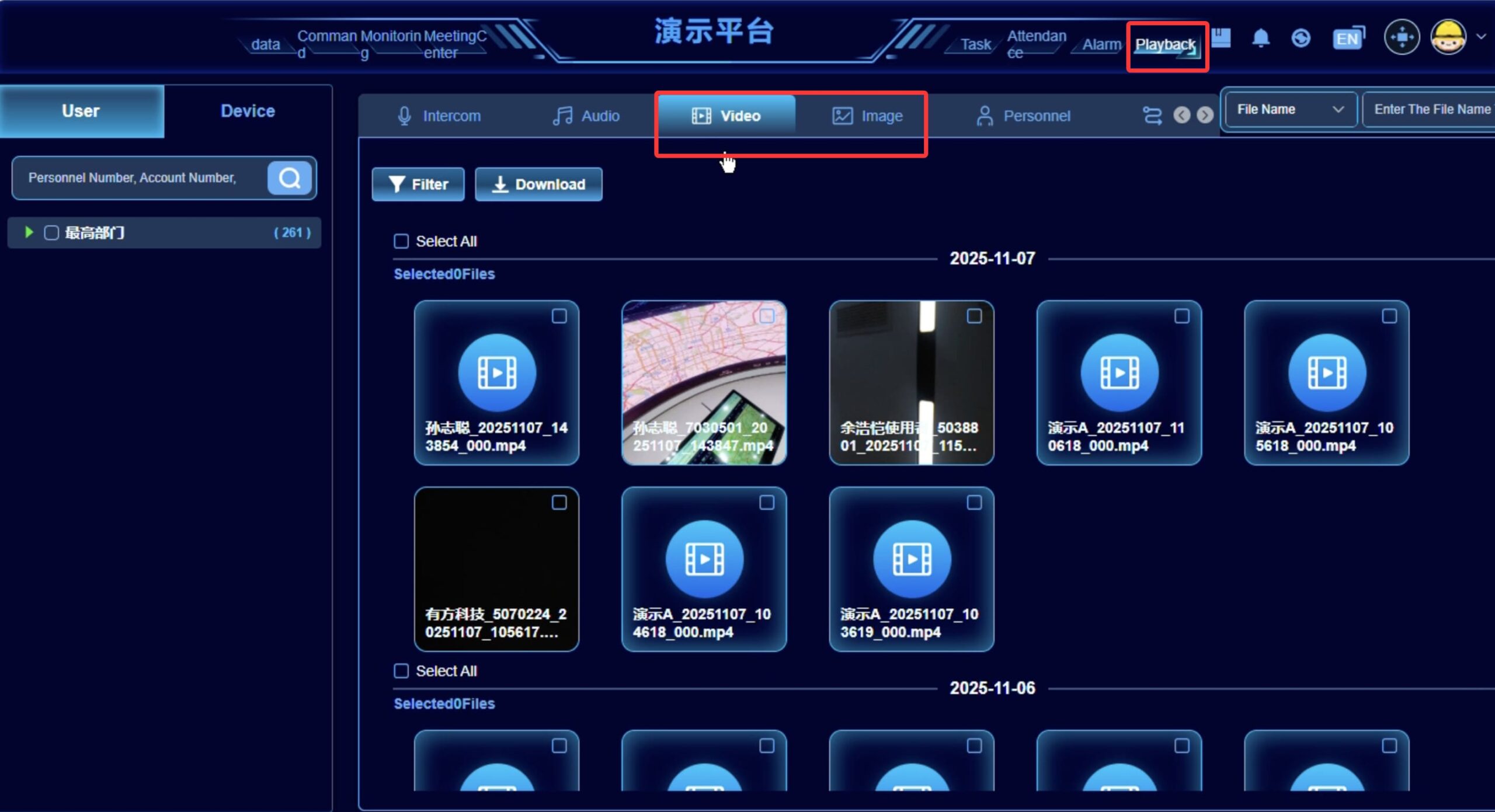
Playback Center
- Historical track playback
- Event timeline review
- Playback of recorded media events when enabled
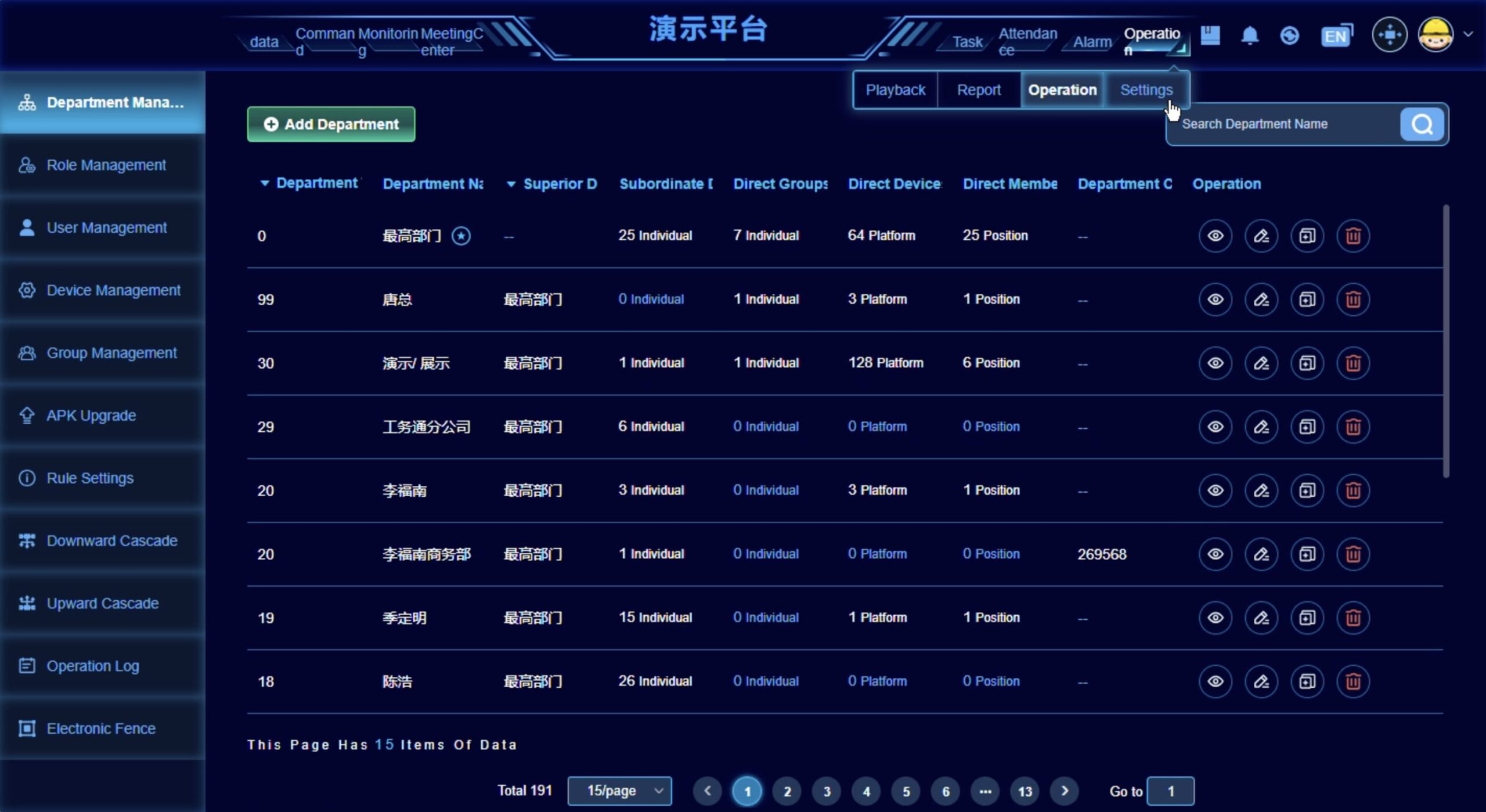
Administration Console
- User and role management
- Device configuration and provisioning
- Report export and operational logs
Data and Functions for Integration Planning
Available fields and access methods depend on product model, enabled platform modules, deployment model, permissions, and project scope.
| Category | Examples | Integration Note |
|---|---|---|
| Device Status | device identity, model, APK version, online/offline, user and organization binding, operational flags | Documented V3 device records are accessed through the deployed operational service layer after authentication. |
| Location & Track | GCJ-02 position history, timestamps, altitude, speed and bearing | Coordinate conversion, update frequency, offline recovery and overseas map behavior must be confirmed in the POC. |
| Safety Alerts | SOS, stay-still, impact, helmet removal, live-wire, height, geofence | V3 returns paged alarm records. Standard customer-system delivery is polling; active webhook delivery is a separate engineering item. |
| Video Stream | request/close RTSP live sessions; retrieve RTSP host and port; conditional GB/T 28181 | The endpoints are documented; authentication, codec, latency, reconnection, concurrency and VMS operation require an agreed POC. |
| Media Records | paged image, video, intercom and audio records with file paths and metadata | Validate file access, permissions, storage location, retention and download behavior in the deployment environment. |
| Documented Outbound Interface | rich-text message with optional image/video URLs and device playback instruction | Broader live, record, voice and remote-command result mechanisms are not treated as standard until model-specific POC confirmation. |
From requirements to a tested connection
Confirm integration scope and data requirements
Prepare integration environment and credentials
Configure platform data access
Connect customer systems to platform data interfaces
Test data flow and operational scenarios
Deploy integration into production
Hosting and data-control considerations
Enterprise Integration uses the complete operational platform in an approved customer or project environment. The one-month sample cloud environment is for demonstration, not overseas production API operation.
Related Platform, Deployment, and Solution Resources
HelmetSight integration projects usually involve devices, platform architecture, deployment model, and application workflows. The pages below help you evaluate the full system context before defining integration requirements.
Monitoring Platform
See how dashboards, alerts, playback, and operational workflows are managed through the HelmetSight platform.
Deployment Options
Compare the one-month sample environment with an approved customer or project deployment before defining integration architecture.
Products
Explore the smart helmet devices that provide field data, video, voice communication, and GPS location input.
Industry Solutions
See how integration fits real deployment scenarios such as emergency rescue, construction, and utility operations.
Governed system-path summary
Reviewed project fit
Use this approved summary to confirm software ownership, team responsibilities and the questions that belong in the pilot scope.
Enterprise Integration
Configuration-dependentEnterprise Integration connects selected device records, location, alarms, media and qualified video functions to a customer system through the complete operational service layer. The customer keeps its own business interface, while standard system delivery uses authenticated API polling and performance-sensitive functions are confirmed in a POC.
- Best fit
- Organizations with an existing safety, command, VMS or enterprise system that want selected HelmetSight data and media without rebuilding the complete device-management service layer.
- Consider another path when
- Projects that require undocumented direct-device protocols, have no integration team, or expect every supplier administration function to disappear without validation.
- Primary interface
- Customer business interface with supplier administration where required
- HelmetSight provides
- The complete operational service layer, documented V3 interfaces, approved media paths and project-confirmed integration support.
- Customer owns
- Connector/middleware, field mapping, customer UI, authentication handling, security, storage, business rules and operational integration.
Polling interval, concurrency, alarm latency/deduplication, webhook engineering, RTSP authentication/codec/latency/reconnection/concurrency and headless-operation limits require project testing.
Platform API & Media Integration Questions
Can HelmetSight integrate with our existing platform? +
Can we access data directly from the smart helmet device? +
Can we access video streams for local AI or third-party analysis? +
Do you provide SDK or API documentation? +
Can HelmetSight push data to our platform? +
What information is needed to evaluate integration? +
Discuss Your Enterprise Integration
Share your platform architecture and project requirements. Our engineers will help design the integration workflow.