Construction Site
Smart Helmet Safety Solution
Real-time field visibility, worker coordination, and incident response for complex construction environments.
HelmetSight provides a smart helmet and monitoring platform solution designed for construction and infrastructure projects. By combining wearable terminals with a visual command platform, project teams can monitor field operations, coordinate workers, and respond quickly to safety incidents.
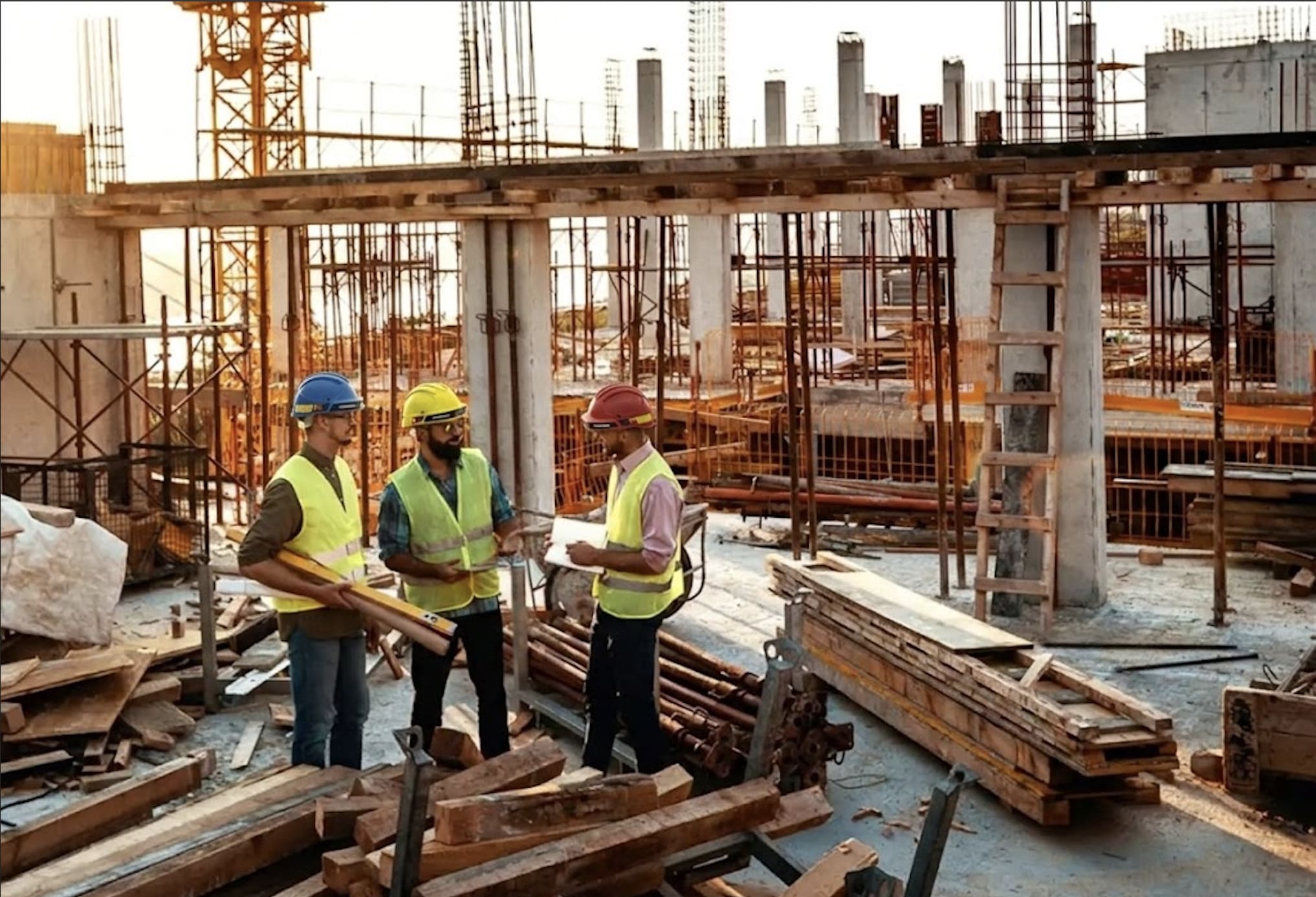
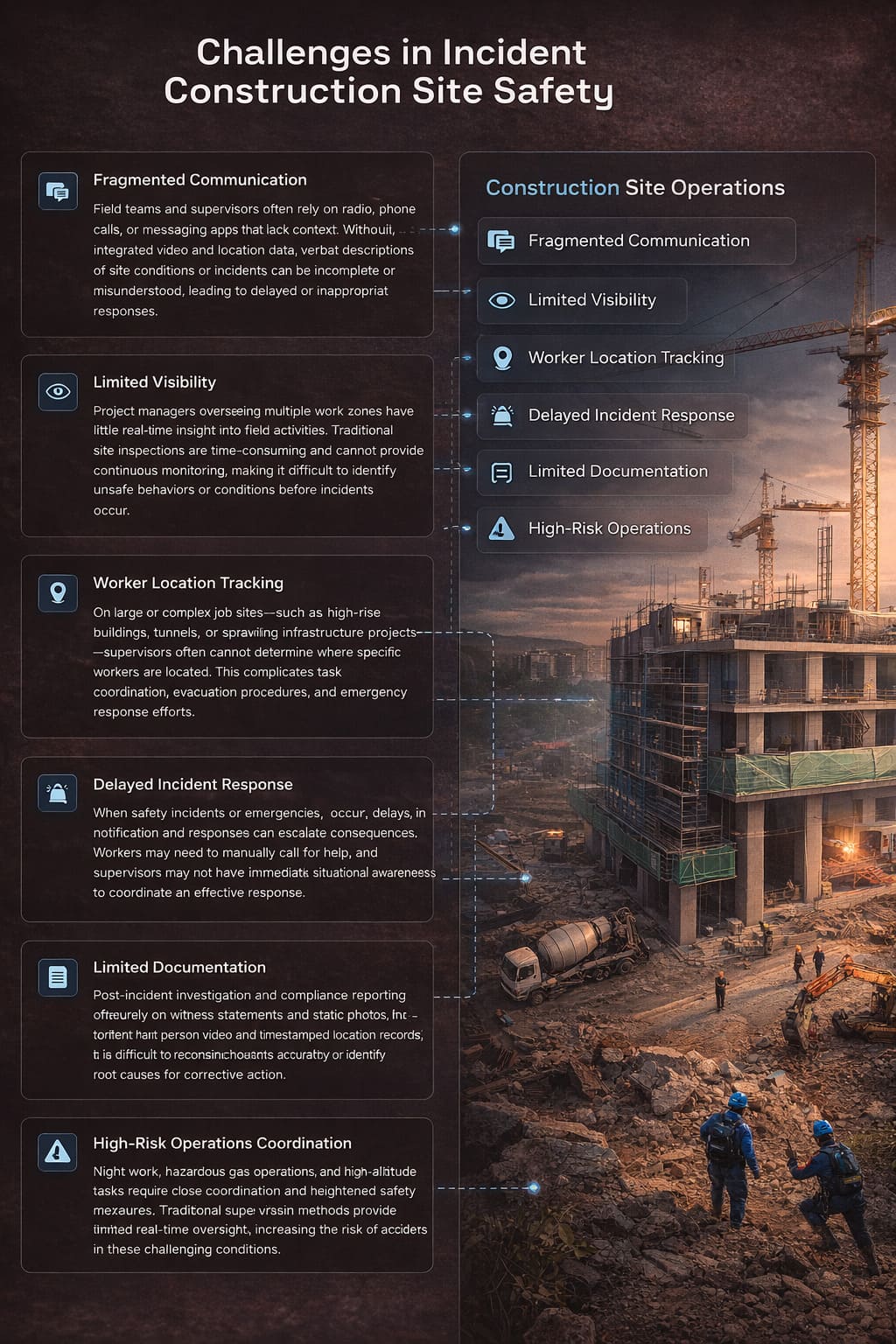
Challenges in Modern Construction Site Safety
Fragmented Communication
Field teams and supervisors often rely on radio, phone calls, or messaging apps that lack context. Without integrated video and location data, verbal descriptions of site conditions or incidents can be incomplete or misunderstood, leading to delayed or inappropriate responses.
Limited Visibility
Project managers overseeing multiple work zones have little real-time insight into field activities. Traditional site inspections are time-consuming and cannot provide continuous monitoring, making it difficult to identify unsafe behaviors or conditions before incidents occur.
Worker Location Tracking
On large or complex job sites--such as high-rise buildings, tunnels, or sprawling infrastructure projects--supervisors often cannot determine where specific workers are located. This complicates task coordination, evacuation procedures, and emergency response efforts.
Delayed Incident Response
When safety incidents or emergencies occur, delays in notification and response can escalate consequences. Workers may need to manually call for help, and supervisors may not have immediate situational awareness to coordinate an effective response.
Limited Documentation
Post-incident investigation and compliance reporting often rely on witness statements and static photos. Without first-person video and timestamped location records, it is difficult to reconstruct events accurately or identify root causes for corrective action.
High-Risk Operations Coordination
Night work, hazardous area operations, and high-altitude tasks require close coordination and heightened safety awareness. Traditional supervision methods provide limited real-time oversight, increasing the risk of accidents in these challenging conditions.
HelmetSight Construction Safety Solution
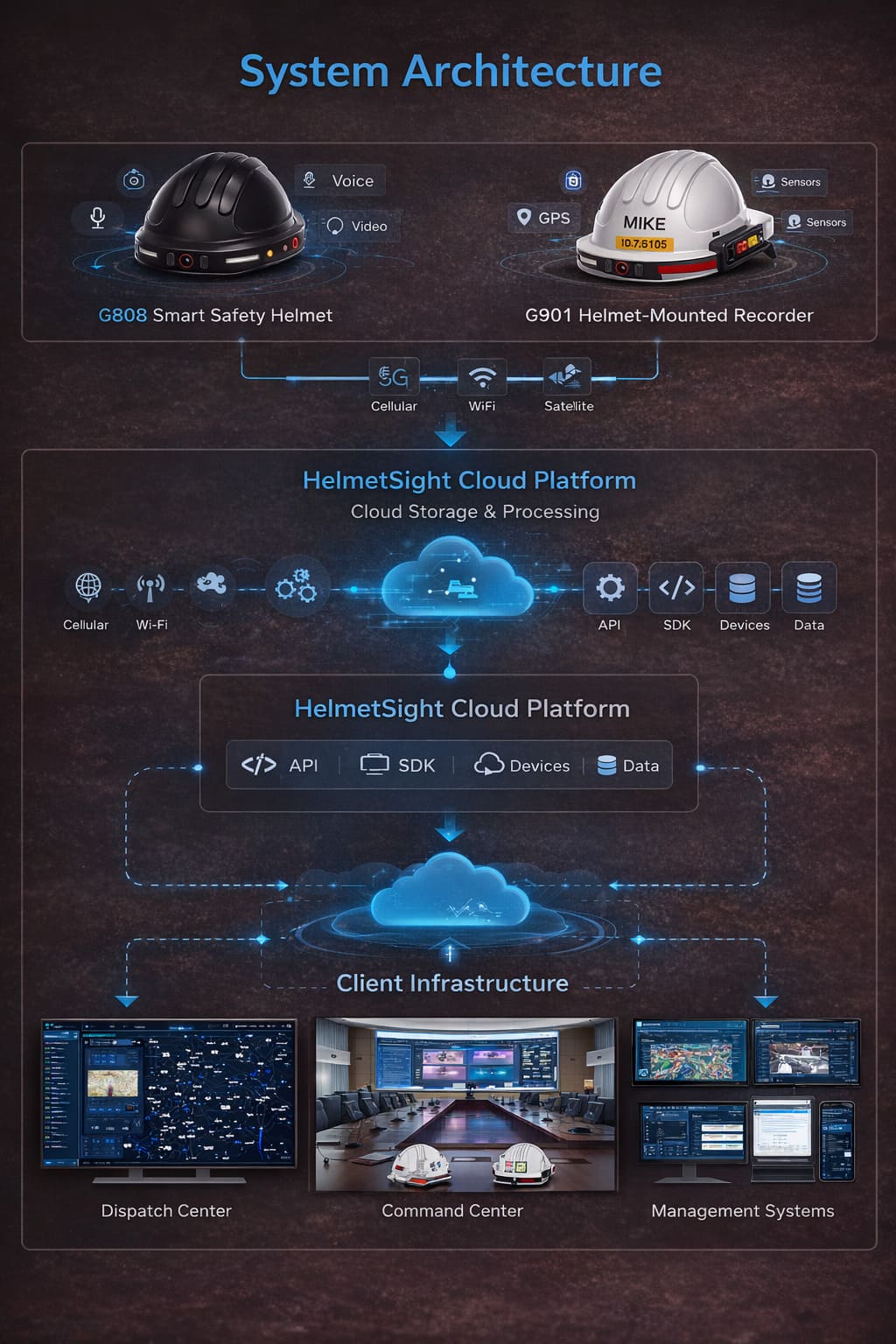
The solution includes three main components working together to provide comprehensive site visibility and operational coordination.
Smart Helmet Terminal
Wearable device providing first-person perspective, communication, and safety alert capabilities for field workers.
View ProductsMonitoring Platform
Web and mobile platform for real-time monitoring, command coordination, alarm management, and operational review.
View PlatformDeployment Options
Flexible deployment models including cloud subscription, on-premise installation, or integration with existing systems.
View DeploymentSmart Helmet Terminal
Monitoring Platform
Deployment Options
Cloud Subscription
Fast platform activation with no infrastructure setup required. HelmetSight manages hosting, maintenance, and updates. Ideal for projects requiring rapid deployment and predictable subscription costs.
Learn moreOn-Premise Deployment
Private infrastructure deployment on customer-owned servers or data centers. Provides full data control and meets requirements for projects with data residency policies or isolated network environments.
Learn moreAPI / SDK Integration
Connect helmet terminals and data streams to existing project management platforms, safety systems, or custom applications via documented APIs, SDKs, or protocol integration.
Learn more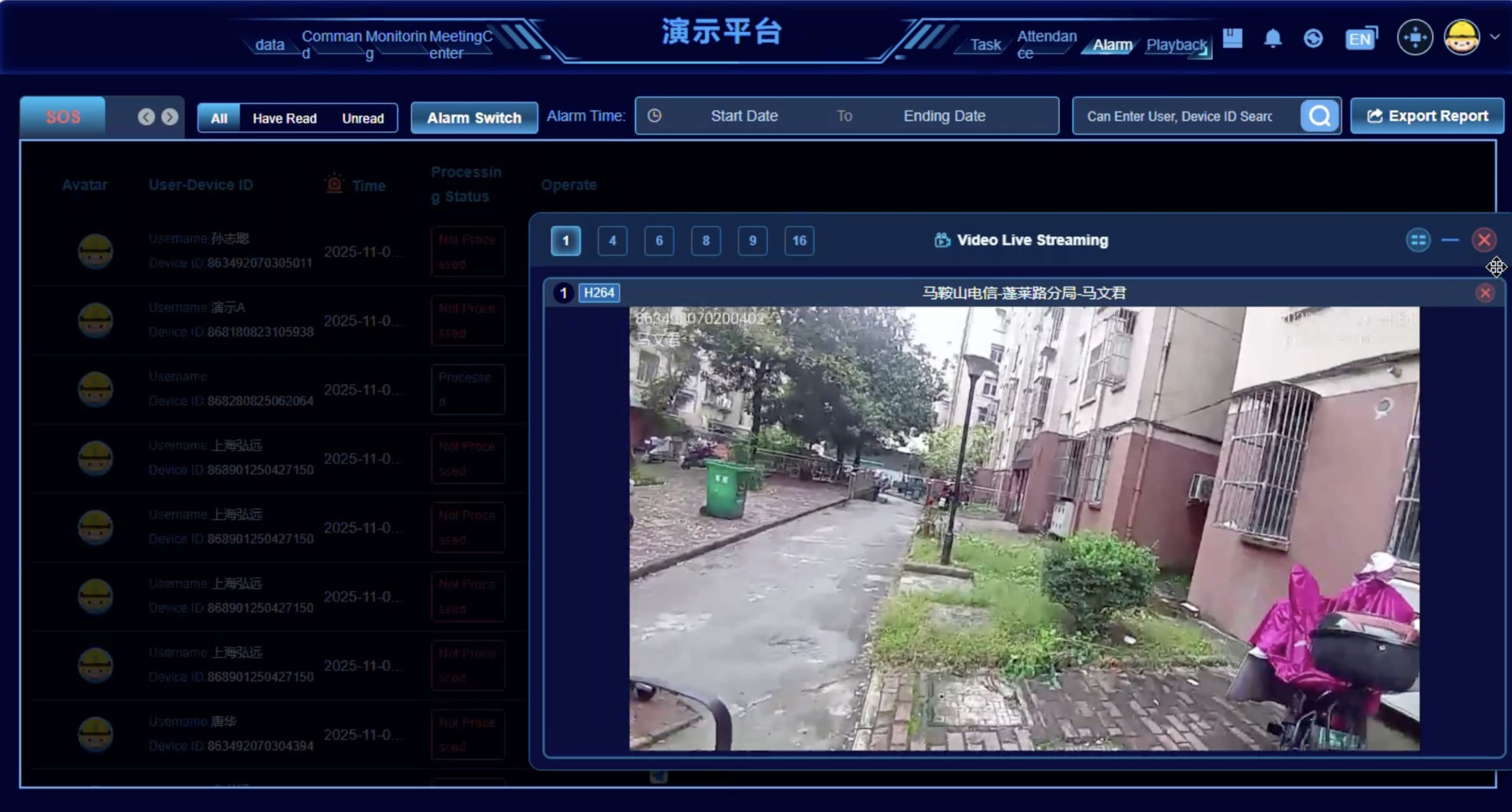
How the System Works on Construction Sites
Step-by-step operational workflow from worker deployment to incident review.
Worker Deployment and Equipment Preparation
Field workers are issued smart helmet terminals at the start of their shift. Supervisors verify device functionality, battery levels, and connectivity. Workers are assigned to specific work zones or teams in the platform, and geofences are configured for restricted or hazardous areas.
Helmet Devices Begin Transmitting Data
Once workers enter the field, helmet terminals begin transmitting video, voice, and location data to the monitoring platform. Video streams can be set to continuous mode or event-triggered mode depending on operational requirements and bandwidth considerations. GPS coordinates update in real-time on the site map.
Supervisors Monitor Site Activity
Supervisors in the command center or using mobile apps can view live video feeds, track worker locations, and monitor operational metrics through the platform dashboard. They can switch between different camera views, check device status, and observe work progress across multiple zones simultaneously.
Alerts and SOS Events Are Immediately Visible
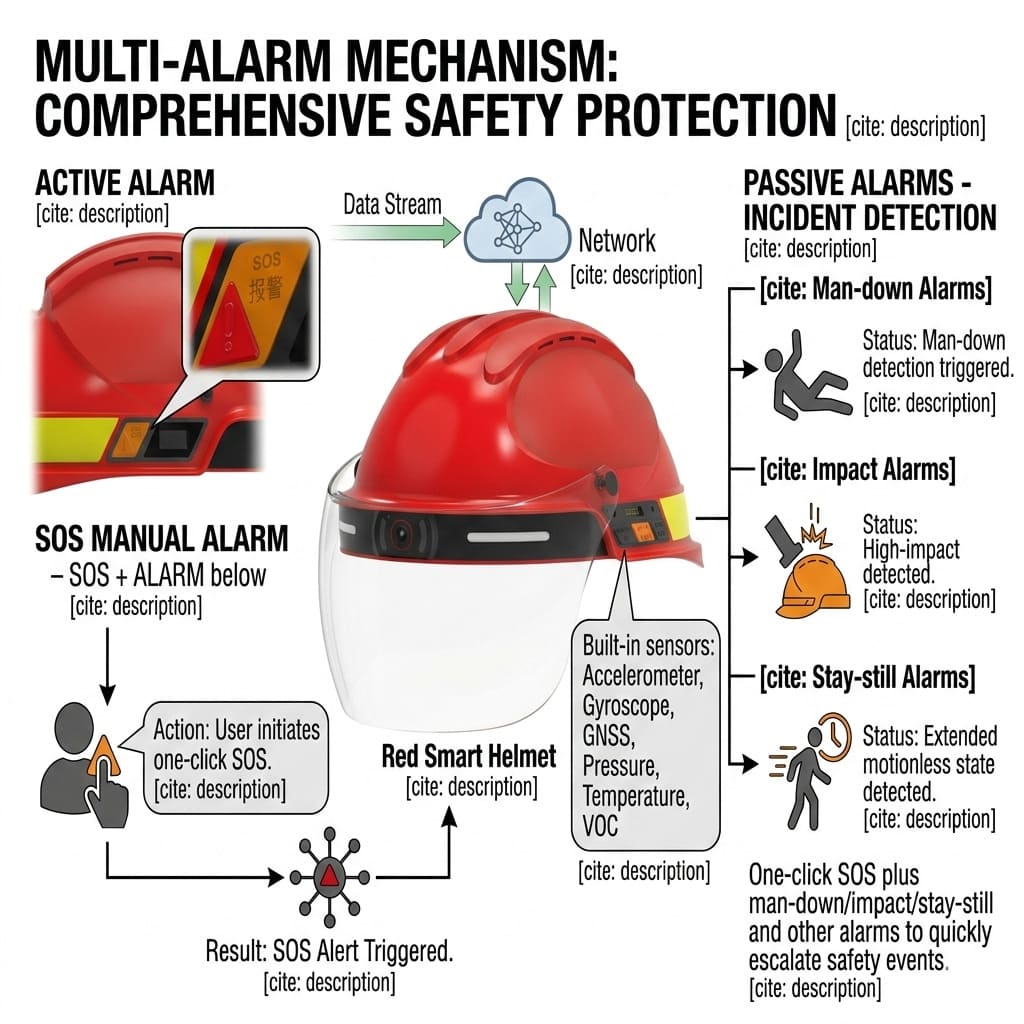
When a worker triggers an SOS button, enters a restricted zone, or when the system detects an abnormal motion event, the alarm center immediately displays a priority alert. The associated video stream is automatically brought to the foreground, and the worker's location is highlighted on the map, providing supervisors with immediate situational context.
Command Staff Coordinate Response
Supervisors use the command center interface to initiate voice communication with the affected worker, broadcast instructions to nearby teams, or dispatch emergency response personnel. They can view the incident from the worker's perspective and coordinate an appropriate response based on real-time visual and location information.
Events and Routes Are Reviewed Through Playback
After an incident or at the end of a shift, supervisors can use the playback center to review worker tracks, video recordings, and event timelines. This supports post-incident investigation, compliance documentation, safety training, and identification of process improvements for future operations.
Create Electronic Geofences for Hazardous Work Areas
See how administrators can define virtual safety boundaries and create location-based rules for restricted or hazardous areas on a construction site.
G901 Electronic Geofence Tutorial
This tutorial demonstrates how to create an electronic fence, choose a drawing method, define the safety area and distance, and connect the area to location-based rules. These rules can be used to notify supervisors when workers enter or leave designated construction zones.
Map display note: The mapping feature uses Google services. It may not display in regions where those services are restricted, including mainland China. Users in supported regions will be able to view the map, locations and geofence boundaries normally.
Core Capabilities for Construction Safety
Real-Time Field Visibility
Supervisors can observe field operations through live video feeds from worker helmets, providing first-person perspective and continuous awareness of site activities and conditions.
Worker Location Awareness
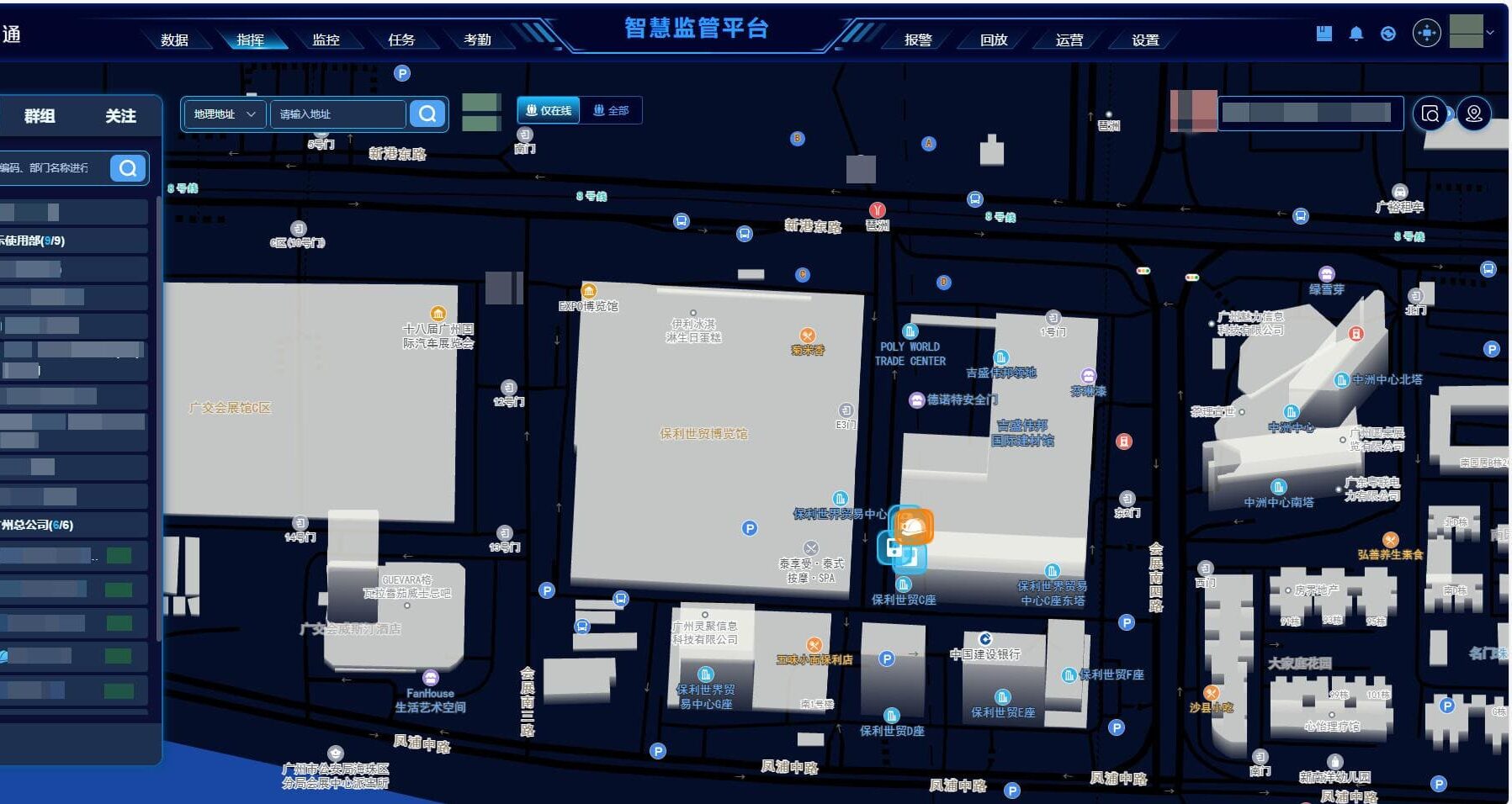
GPS positioning allows supervisors to track worker movement across large construction sites in real-time, displayed on interactive maps with zone labels and geofence boundaries.
Emergency Alert Escalation
SOS button triggers and system-detected anomalies generate immediate priority alerts in the command center, with automatic video and location display for rapid supervisor response.
Remote Coordination
Two-way voice communication and broadcast functions enable supervisors to provide real-time guidance, coordinate multi-team operations, and dispatch instructions without physical presence.
Incident Documentation
First-person video recordings and timestamped event logs provide objective evidence for incident investigation, compliance reporting, and identification of safety process improvements.
Safety Zone Monitoring
Electronic fence configurations trigger automatic alerts when workers enter restricted zones, hazardous areas, or unauthorized locations, enabling proactive safety intervention.
Operational Playback
Historical track playback and video review capabilities allow supervisors to analyze worker movement patterns, verify work completion, and conduct post-shift operational reviews.
Team Management
User role definitions and access permissions support structured project organization, with separate accounts for field workers, supervisors, project managers, and administrative staff.
Construction Site Command Platform
Comprehensive monitoring and coordination interface for construction site operations.
Data Overview Dashboard
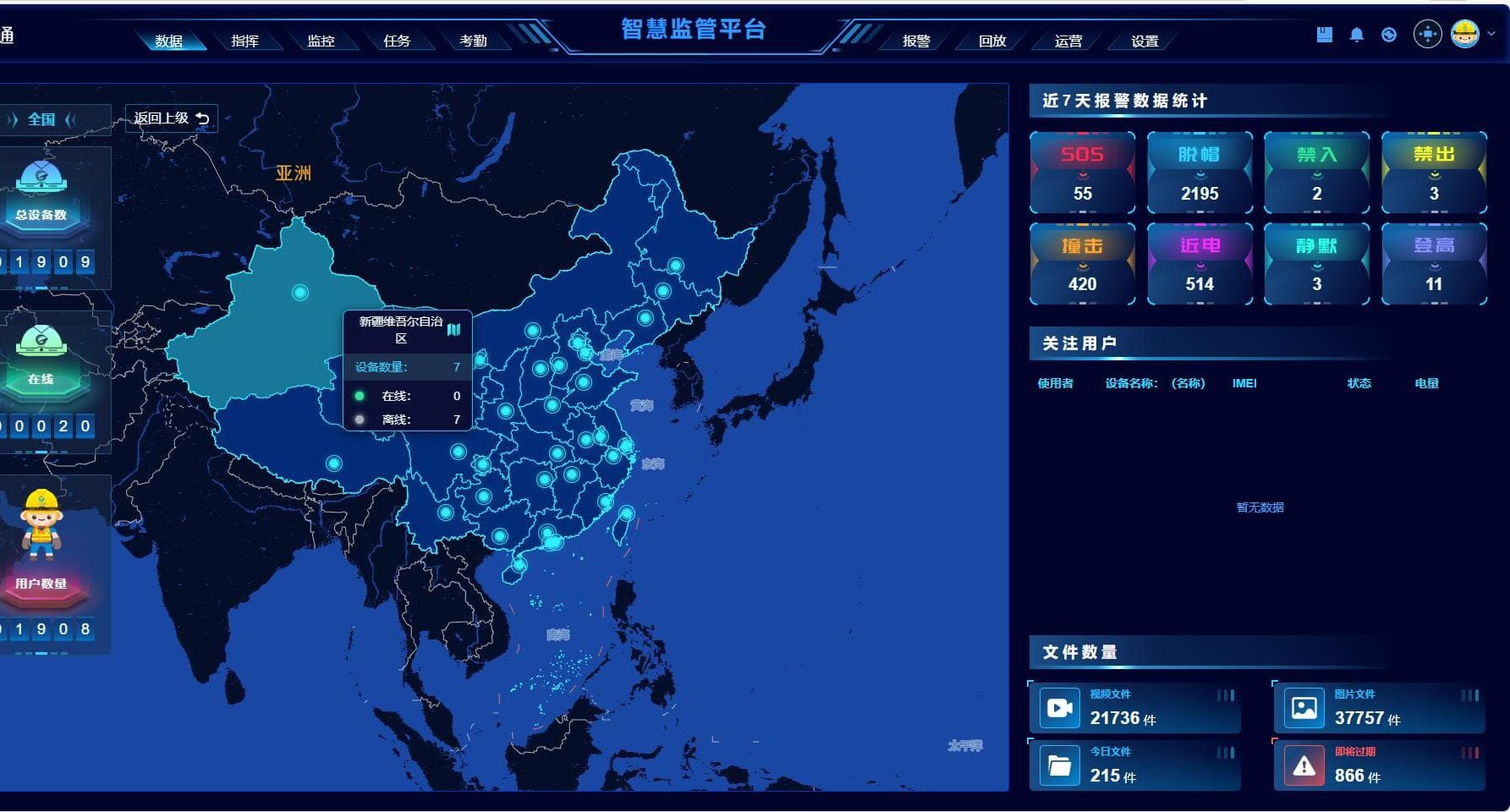
Real-time summary display showing active workers, online devices, current alert count, work zone status, and key operational metrics. Provides supervisors with immediate situational awareness when they access the platform.
Alarm Center
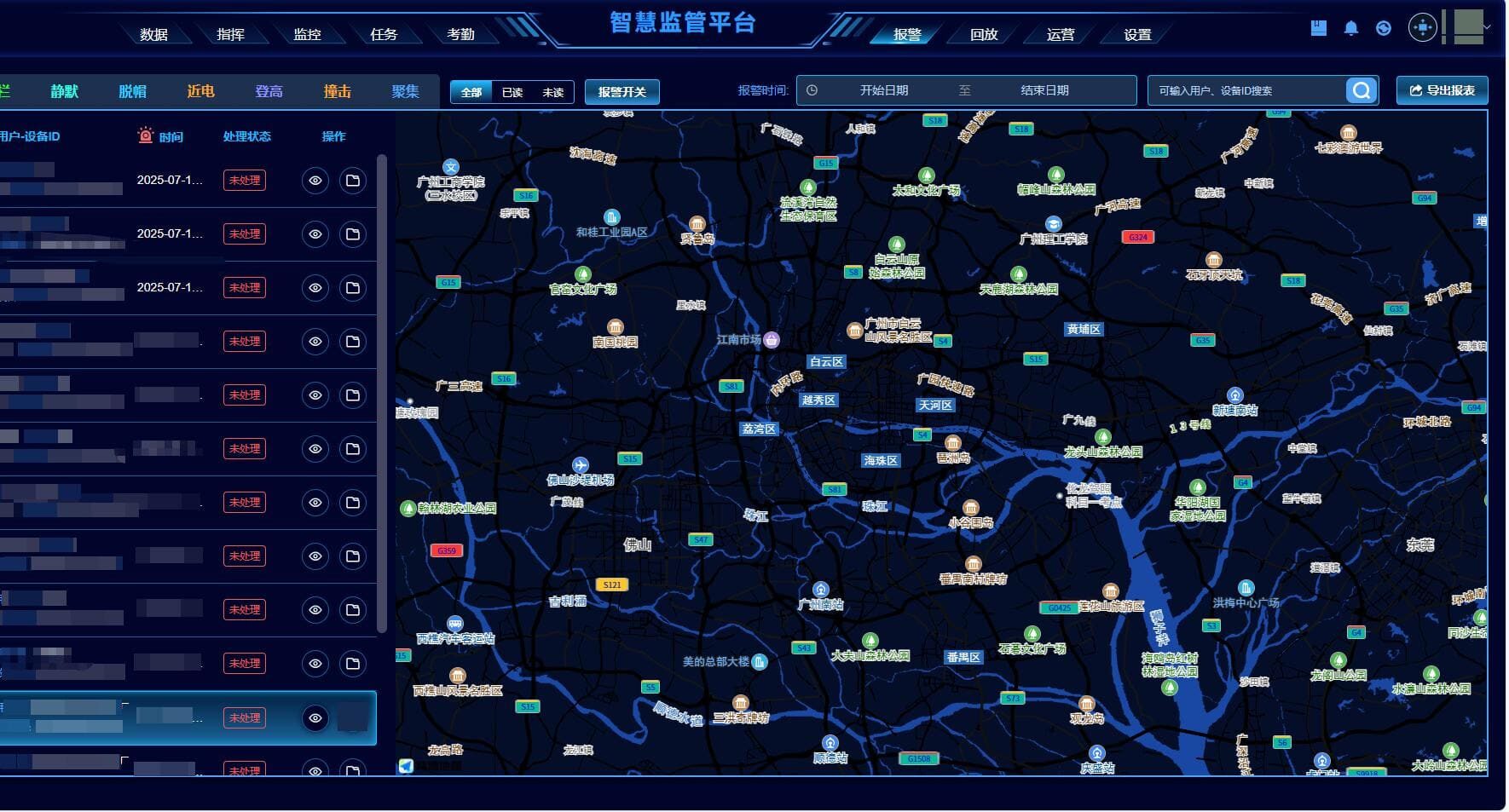
Centralized alert management interface displaying all active and historical alarms with priority sorting. Shows SOS triggers, geofence violations, motion anomalies, device warnings, and system notifications with acknowledgment status tracking.
Command Center
Coordination interface for managing field operations. Supervisors can initiate voice calls to individual workers, send broadcast messages to teams, dispatch instructions, and coordinate response to incidents or operational changes in real-time.
Monitoring Center
Live video feed viewer with multi-camera grid layout. Displays real-time streams from helmet terminals, device status indicators, battery levels, connectivity status, and worker locations on interactive site maps with zone labels.
Playback Center
Historical review interface for worker tracks, video recordings, and event timelines. Supports time-range filtering, multi-device comparison, and synchronized playback of video and location data for incident investigation and operational analysis.
Administration Console
System configuration and user management tools. Administrators can create user accounts, assign role-based permissions, configure geofences, manage device assignments, and define alert rules to support structured project organization.
Typical Construction Application Scenarios
Large Infrastructure Projects
Operational Risks
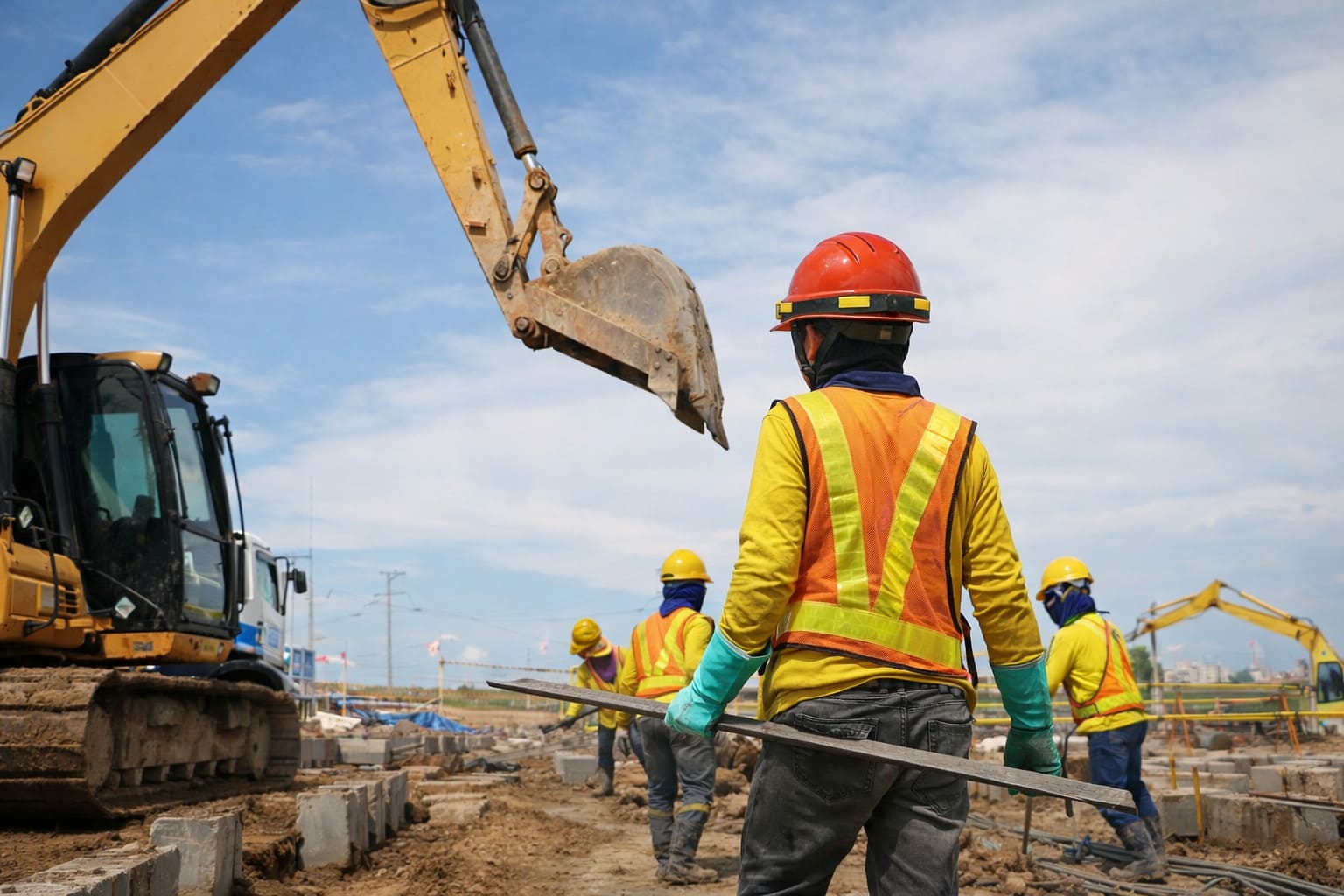
Infrastructure projects such as highways, bridges, railways, and utility installations often span large geographical areas with multiple simultaneous work zones. Supervisors face difficulty maintaining visibility across dispersed teams, coordinating logistics, and ensuring consistent safety practices across all locations.
How Smart Helmets Improve Awareness
Smart helmets provide first-person video from each work zone, allowing supervisors to observe conditions and activities without traveling between locations. GPS tracking displays worker distribution across the project site, helping identify coverage gaps or resource allocation issues.
How the Command Center Supports Supervisors
The command center enables supervisors to monitor multiple zones simultaneously through the multi-camera grid interface. Voice communication and broadcast functions support coordination between teams without requiring physical presence, improving response time and operational efficiency.
High-Rise Construction Sites
Operational Risks
Vertical construction environments present challenges for supervision and coordination. Workers on different floors or building sections may be isolated from ground-level management. Fall risks, material handling hazards, and limited evacuation routes require heightened safety awareness and rapid incident response.
How Smart Helmets Improve Awareness
Helmet cameras provide supervisors with visibility into work conditions on upper floors without requiring physical inspection. Motion sensors can detect falls or abnormal movements, triggering immediate alerts. Location tracking helps identify which floor or section each worker is on, improving coordination and emergency response planning.
How the Command Center Supports Supervisors
The platform displays worker locations by floor level on building plans or 3D site models. Voice communication allows supervisors to provide guidance or warnings to workers on upper floors. Video feeds enable verification of safety equipment usage and compliance with high-altitude work procedures.
Tunnel and Underground Construction
Operational Risks
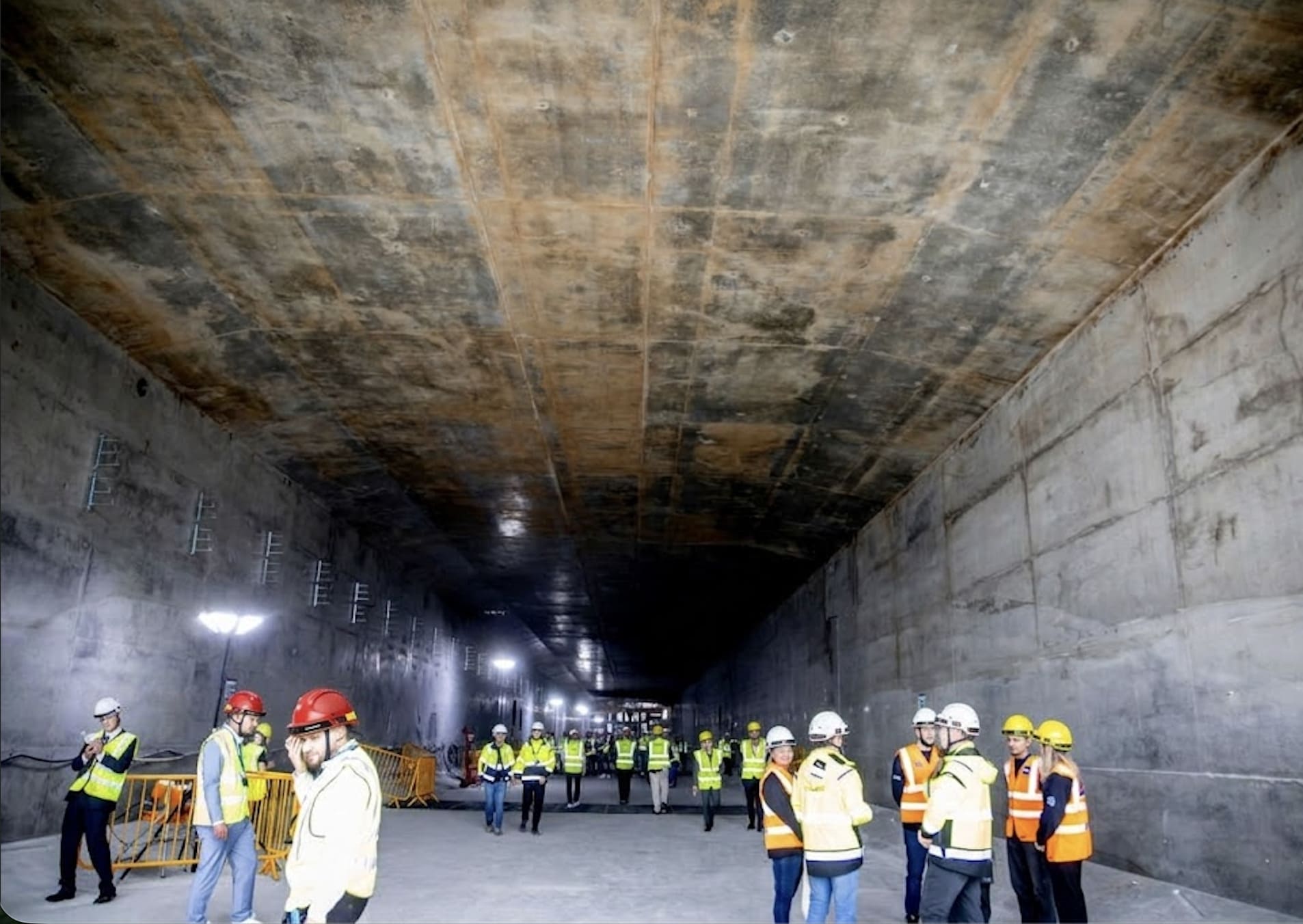
Underground and tunnel construction involves limited visibility, restricted access, ventilation concerns, and potential for structural instability. Workers may be difficult to reach in emergencies, and communication with surface supervisors is often unreliable due to signal limitations.
How Smart Helmets Improve Awareness
Smart helmets with local storage capabilities can buffer video and sensor data when network connectivity is limited, uploading to the platform when workers return to coverage areas. GPS positioning at tunnel entrances and exits helps track worker entry and exit times. SOS buttons provide a reliable emergency notification method even in challenging communication environments.
How the Command Center Supports Supervisors
Supervisors can verify that workers have exited the tunnel at shift end by reviewing location logs. Video playback supports investigation of incidents or near-misses that occurred underground. Geofence alerts can notify supervisors when workers enter particularly hazardous tunnel sections.
Night Construction Supervision
Operational Risks
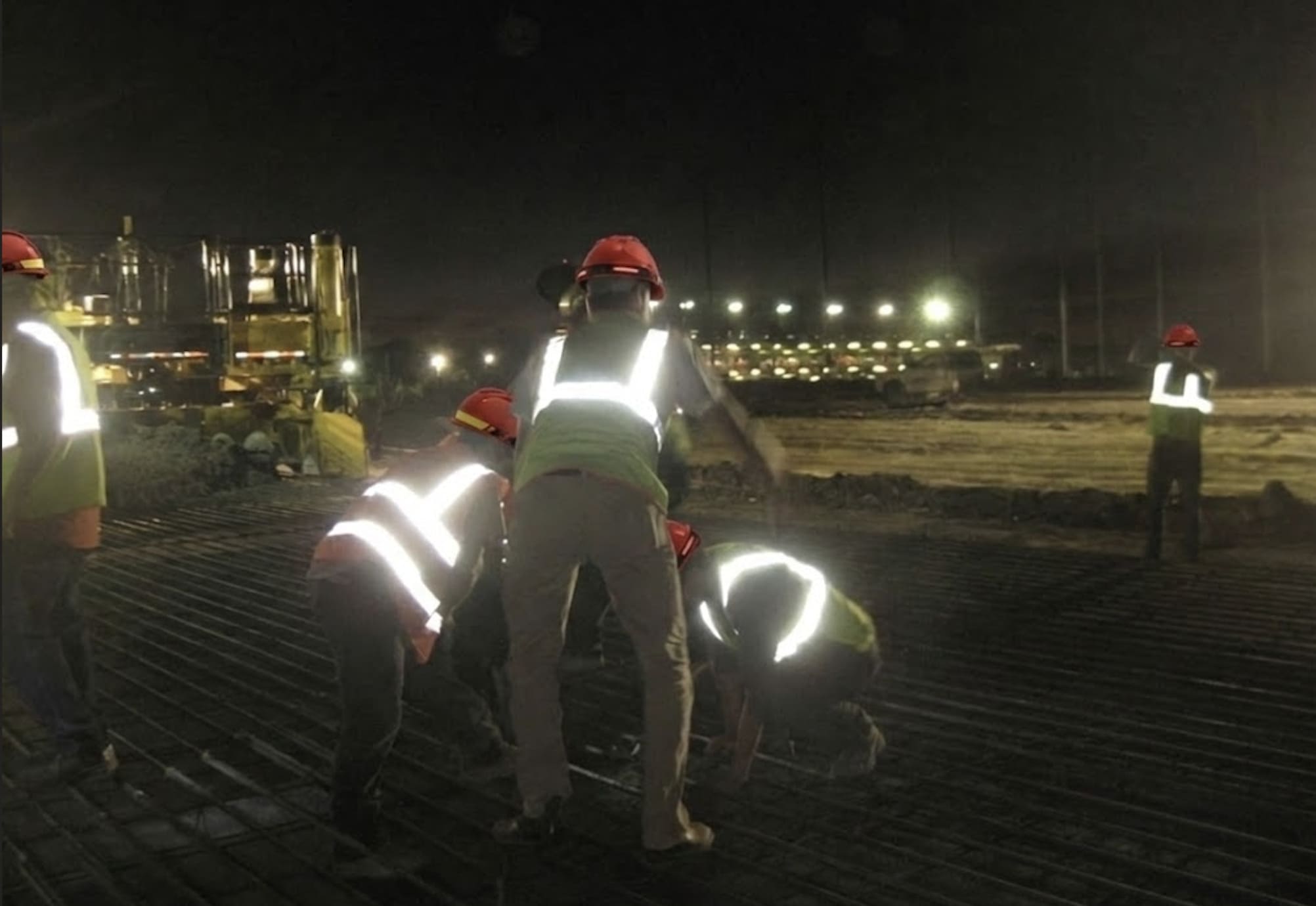
Night shifts present reduced visibility, increased fatigue risks, and often reduced on-site supervision staffing. Traditional visual inspection methods are less effective in low-light conditions. Workers may face greater difficulty identifying hazards or coordinating with team members.
How Smart Helmets Improve Awareness
Helmet terminals with low-light or infrared camera configurations provide video visibility in night conditions. Continuous monitoring allows supervisors to verify that lighting is adequate and safety protocols are being followed. Motion sensors can detect fatigue-related incidents such as falls or extended inactivity.
How the Command Center Supports Supervisors
Night supervisors can monitor operations remotely without requiring constant physical presence on site. Video feeds provide documentation of night shift activities for review by day shift management. Alert systems ensure that incidents trigger immediate notification regardless of time of day.
Hazardous Area Monitoring
Operational Risks
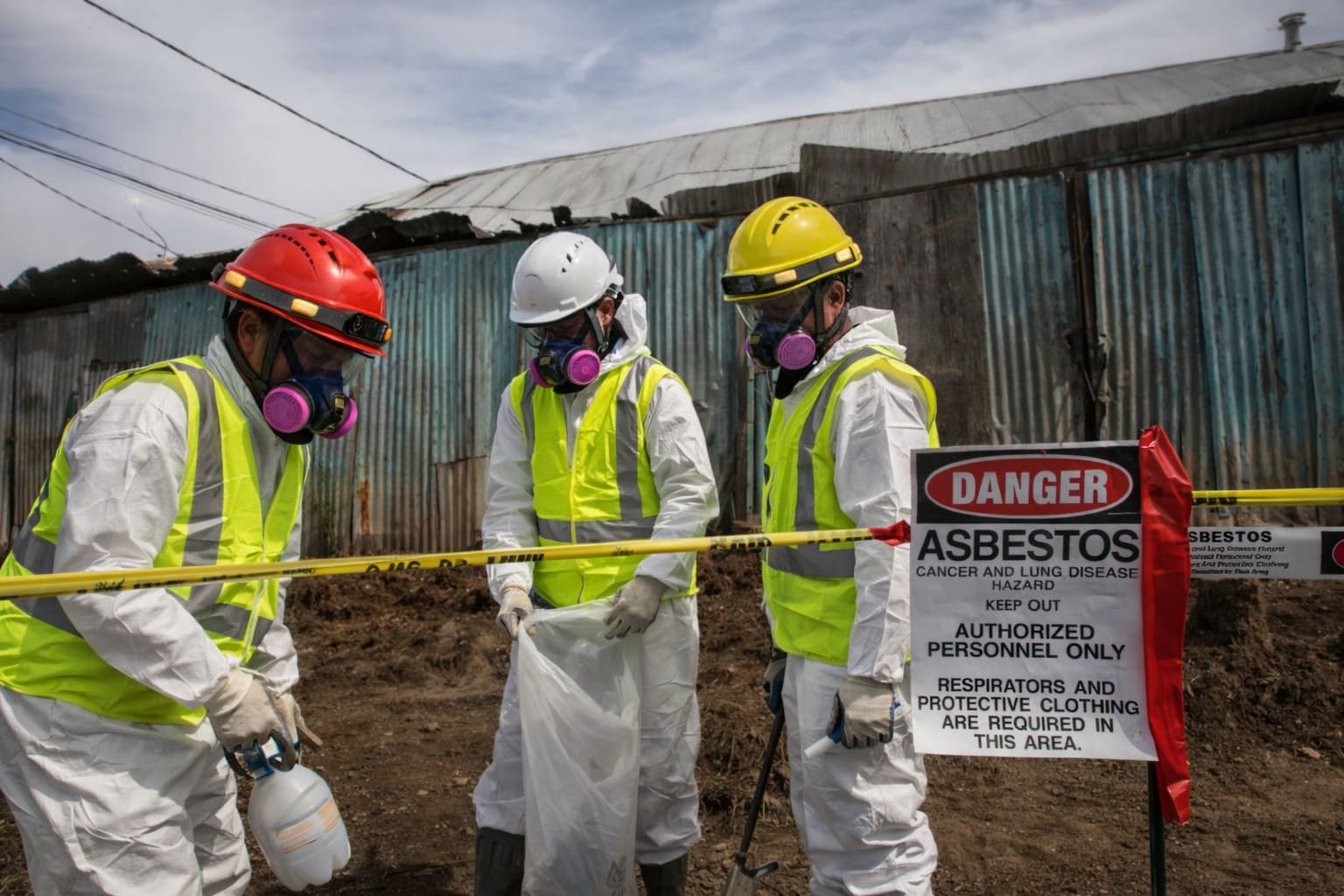
Construction sites often include zones with chemical hazards, electrical equipment, heavy machinery, or structural instability. Unauthorized entry or inadequate safety procedures in these areas can result in serious incidents. Supervisors need reliable methods to enforce access control and verify safety compliance.
How Smart Helmets Improve Awareness
Electronic fence configurations trigger automatic alerts when workers enter designated hazardous zones, allowing supervisors to intervene before incidents occur. Video monitoring enables verification that workers entering hazardous areas are using appropriate personal protective equipment and following required procedures.
How the Command Center Supports Supervisors
The alarm center immediately displays geofence violations with worker identification and location details. Supervisors can use voice communication to remind workers of safety requirements or instruct them to exit the area. Video evidence supports enforcement of safety policies and training initiatives.
Customization Options for Construction Projects
Flexible configuration to meet specific project requirements and organizational standards.
Helmet Shell Color
Specify helmet shell colors to match project safety standards, differentiate between contractor teams, or align with organizational branding requirements. Standard industrial colors available with custom color options for large orders.
Team or Contractor Logo
Apply contractor logos, project branding, or team identification markings to helmet shells. Supports professional appearance and clear visual identification of worker affiliations on multi-contractor projects.
Worker ID Markings
Add individual worker identification numbers, names, or role labels to helmets for clear identification in video feeds and platform interfaces. Improves accountability and simplifies incident investigation.
Selected Functional Modules
Configure which platform modules and features are enabled based on project needs. Options include video monitoring, location tracking, alarm types, communication channels, and reporting functions. Supports cost optimization and operational simplicity.
Deployment Architecture
Choose between cloud subscription, on-premise installation, or hybrid deployment models based on data residency requirements, network infrastructure, and project duration. Deployment architecture can be adjusted for different project phases.
Platform Integration
Connect helmet data streams to existing project management systems, safety platforms, or enterprise applications via API integration. Custom integration scope can be defined based on specific workflow requirements and system architecture.
Customization options are discussed during the quotation process. Contact our engineering team to define requirements for your construction project.
Discuss CustomizationFlexible Deployment Options
Choose the deployment model that best fits your project requirements, infrastructure, and data policies.
Cloud Subscription
Fast platform activation with no infrastructure setup required. HelmetSight manages hosting, maintenance, and updates.
On-Premise Deployment
Private infrastructure deployment on customer-owned servers or data centers. Full data control and isolated network operation.
Integration (API / SDK)
Connect helmet terminals and data streams to existing project management platforms or custom applications.
Related Products
G808 Smart Safety Helmet
All-in-one hard hat with integrated 4G communication, video/voice capabilities, GPS positioning, and comprehensive safety alarm systems for complete real-time supervision.
G901 Helmet-Mounted Recorder
Attachable recorder that upgrades standard hard hats to smart safety helmets. Perfect for projects preferring local helmet sourcing while adding smart monitoring and evidence capture.
FAQ
How can smart helmets improve construction safety?
Smart helmets provide supervisors with real-time visibility into field operations through first-person video, location tracking, and immediate alert notifications. This enables faster incident response, proactive hazard identification, and objective documentation for safety investigations. Workers benefit from direct communication channels with supervisors and automatic emergency notification capabilities.
Can supervisors monitor multiple work zones simultaneously?
Yes. The monitoring platform displays video feeds from multiple helmet terminals in a grid layout, allowing supervisors to observe different work zones, building floors, or contractor teams simultaneously. Supervisors can switch between camera views, prioritize alerts, and coordinate responses across the entire project site from a single command center interface.
Is the platform available as SaaS or on-premise?
Both deployment models are available. Cloud subscription (SaaS) provides rapid activation with no infrastructure setup and predictable subscription costs. On-premise deployment installs the platform on customer-owned servers, providing full data control and meeting data residency requirements. Hybrid models combining both approaches are also possible.
Can the system integrate with existing project platforms?
Yes. The system provides RESTful APIs, SDKs, and protocol-level integration options for connecting helmet data streams to existing project management systems, safety platforms, or enterprise applications. Integration scope is defined during the project planning phase based on specific workflow requirements and system architecture.
Is helmet appearance customizable for contractors?
Yes. Helmet shell colors, contractor logos, team identification markings, and individual worker ID labels can be customized to match project requirements and organizational branding standards. Customization options are discussed during the quotation process.
How long does video data remain stored?
Video retention periods are configurable based on project requirements and storage capacity. Cloud subscription plans include defined storage quotas with options to extend retention or archive critical footage. On-premise deployments provide full control over retention policies and storage infrastructure.
What network connectivity is required?
Helmet terminals use 4G cellular connectivity for real-time data transmission. Local storage capabilities buffer video and sensor data when network coverage is limited, automatically uploading to the platform when connectivity is restored. On-premise deployments can operate on isolated project networks without external internet access.
Can the system support multi-contractor projects?
Yes. The platform supports role-based access control, allowing different contractors to access only their assigned workers and work zones. Project managers can view all contractors while maintaining data separation. Helmet customization options support visual differentiation between contractor teams.
Explore Related Resources
Learn more about the products, platform, and deployment options that support this solution.
Back to Solutions
Return to the main solution overview page to explore other application scenarios.
G808 Smart Safety Helmet
See the integrated smart helmet solution with video, voice communication, GPS tracking, and safety alerts.
G901 Helmet-mounted Recorder
Explore the retrofit option for existing helmets.
Monitoring Platform
Understand how dashboards, alerts, playback, and role-based management support field operations.
Deployment Options
Compare cloud subscription, on-premise deployment, and API / SDK integration.
Need help with this application?
Our engineering team is ready to discuss your specific requirements and deployment scenarios.
Contact an Engineer
Improve Visibility and Coordination
on Your Construction Site
Contact our engineering team to discuss deployment options, customization requirements, and project quotations. We support construction companies, engineering contractors, and system integrators worldwide.